Find a passage when you remember the idea, not the words
If you remember what a passage said but not its wording, try semantic search in DoCube. Download and select a local Embedding model, wait for document indexing, then describe what you are looking for. Open the results to check their context.
This search path can work offline once the local model is ready. It requires setup and indexing; importing a file alone does not make every passage immediately searchable by meaning.
1. Check that the documents have searchable text
Start with one or two documents you know. Search for a title or a word from the text to confirm that ordinary keyword search can find them.
Scanned PDFs need a usable text layer. Spoken content in videos needs usable subtitles. Newly imported material also needs parsing and indexing. Semantic search cannot recover body text that has not been made available.
2. Download and select a local Embedding model
Open Settings, then AI Assistant and Local Models. Download QWen3 Embedding for semantic search and wait for the green checkmark.
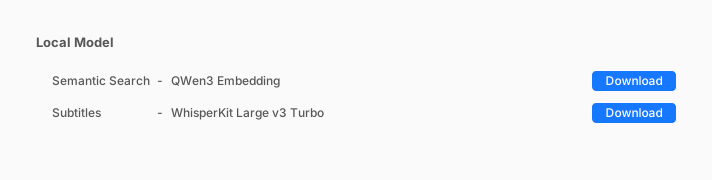
Next, open the semantic search entry in Model Configuration and choose the local model. The green checkmark means the files are ready. New configurations offer Disabled and Local Model. An online Embedding setting retained from an older version is not automatically replaced by the download; switch it to the local model explicitly.
The first download needs a connection. Model files stay on the current device and do not sync with documents, so prepare the model separately on another device.
3. Wait for indexing and describe the idea
On first use, or after importing new material, DoCube needs to build a vector index in the background. Once the relevant material is ready, open "Search in DoCube," enter a description, enable semantic search, and submit it.
For example, you may remember reading about feeling that you knew an outcome all along after it happened. Try describing that experience. The demo searches a sample library, previews a passage about hindsight bias, and opens its source. Your own library needs relevant material for the search to find.
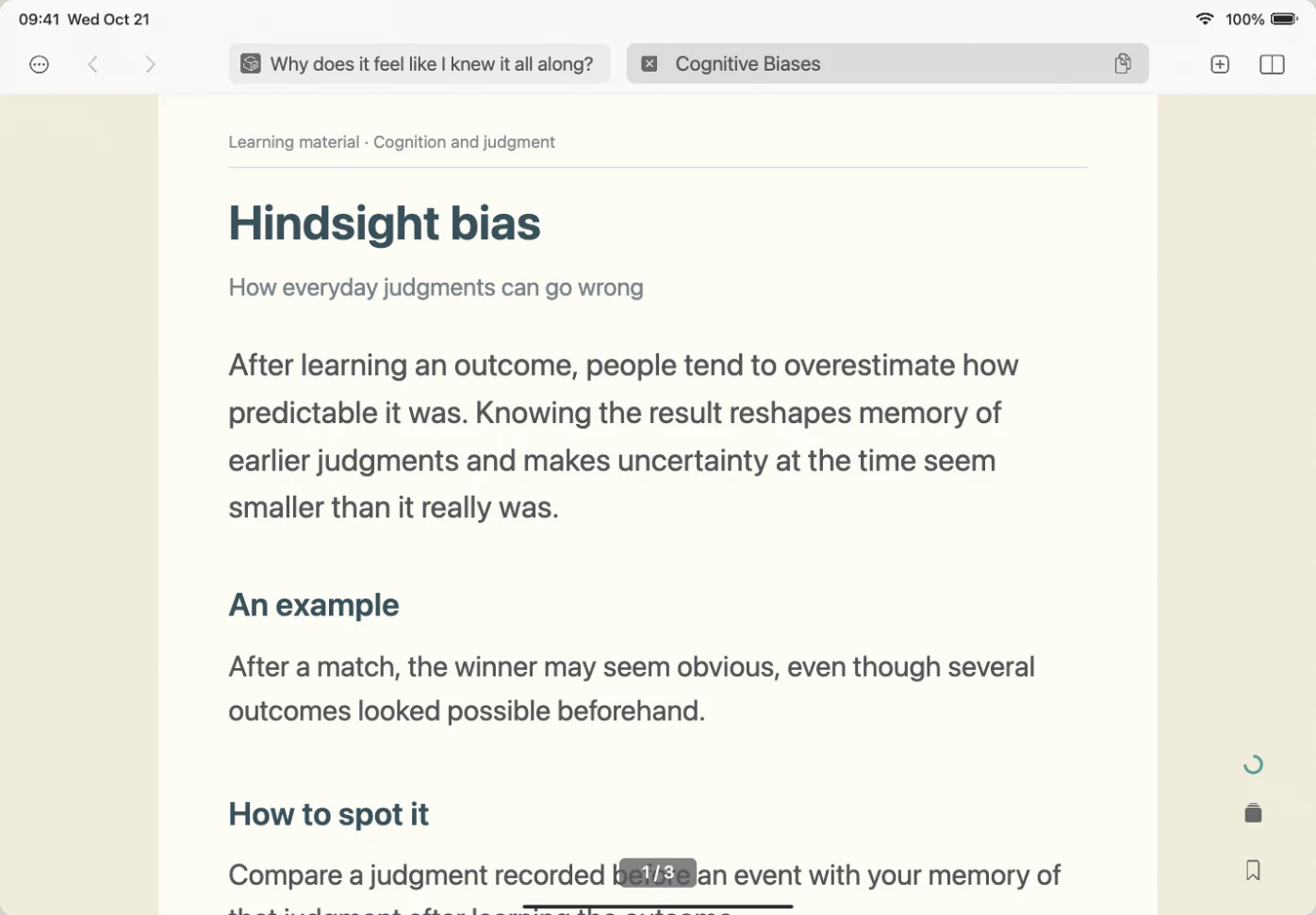
4. Preview the result and check the source
Read the excerpt and source information, then preview or open the original. Similar meaning does not always mean the passage is about the same thing. Read the surrounding text before citing it.
If you do not find the passage, reduce a long question to one idea, or try a name or term with ordinary keyword search. Search may fall back to keywords when the model configuration or vector index is unavailable. The presence of results alone does not prove semantic search was used.
Common questions
Does semantic search write an answer for me?
These steps retrieve existing material. Check the results against their sources; they are not a newly written answer from the model.
Is semantic search always offline?
The local path requires a downloaded and selected local Embedding model. An online configuration retained from an older version can still use its provider instead. Before working offline, check the active selection, not just whether the local files have been downloaded.
Why is the semantic search switch missing after download?
Check the provider selected for semantic search in Model Configuration, confirm that the local model is ready, and reopen the search input. An online configuration retained from an older version is not automatically replaced by downloading a local model.
Can I immediately search documents synced from another device?
Wait for the documents to become available and prepare the model and index on the current device. Model files do not sync with documents; a completed download on another device does not prepare this one.
Should I use semantic search when I know the exact wording?
Try ordinary keyword search first for names, terms, and exact quotations. See searching multiple PDFs on Mac. Semantic search is useful to try when you remember the meaning but cannot recall the words.
Start with a document you know and check the results against it: download DoCube from the App Store.